
Well it looks like my efforts to fix the problem haven't worked. I've re-installed the software and basically done everything I can think of bar re-installing my operating system to fix the problem. Mysteriously this bug has arisen with no major alterations BUT I do think a few MS updates may be the culprit.
Thankfully I found a set of flash files that do the job I am trying to do for me and I know they already work because I did a test run on these files before using tbeta. So this will be my method of delivery for the time being, though I'm hoping when I migrate to a laptop it will fix my issues, as the code I had looked pretty neat.
So now I have to set up the final bit of this project, with a projector and laptop free standing so it can be taken a part and moved around easily. I also need to test the software on some level, so this is going to be undertaken as well.
Ultimately conclusions and outcomes are purely qualitative and very subjective, but one thing I have seen so far with this software is a massive movement toward a new type of electronic art, which is quite amazing and has endless possibilities. I see the medium moving less toward technical areas like games design or production and more toward this free flowing creative area, though I think that really both areas would come to fruition if the right people were interested in using this hardware/software. However Autodesk are working with Multi Touch screens so we will see!
Showing posts with label multi touch. Show all posts
Showing posts with label multi touch. Show all posts
Monday, 23 March 2009

Thursday, 5 February 2009
Optimised and Working!
The electrical tape worked!
After a lot of numerous changes today, I've managed to optimise all the blobs so they work effectively. I can drag a finger over the surface and get blobs picked up effectively. I can resize images and rotate the 2d global desk using my fingers as well. So all the basic functionality I need is working (Yipee!)
I do have some videos but they're very large so I'm attempting to re-encode them via After Effects, if it works I will post the youtube videos.
I intend to try and build a contraption to keep the surface still, sometime soon, it's rather heavy at 2-3 kg's, so it does need something fairly robust. I also need to get a projector to make interaction with blobs complete and fully intuitive.
More updates will follow I bet...
After a lot of numerous changes today, I've managed to optimise all the blobs so they work effectively. I can drag a finger over the surface and get blobs picked up effectively. I can resize images and rotate the 2d global desk using my fingers as well. So all the basic functionality I need is working (Yipee!)
I do have some videos but they're very large so I'm attempting to re-encode them via After Effects, if it works I will post the youtube videos.
I intend to try and build a contraption to keep the surface still, sometime soon, it's rather heavy at 2-3 kg's, so it does need something fairly robust. I also need to get a projector to make interaction with blobs complete and fully intuitive.
More updates will follow I bet...
Blob tests...
The set up works, but its configuration is a little unstable. But there are a few fixable reasons for this. I tested the blobs first of all (Blobs are impressions made onto the acrylic surface (The touch surface) which disrupt the infra red field.) So the first test was successful, I managed to create blobs just by using my fingers on the surface, however I had to use the opposite to the side I expected, to achieve this...which still has me a little confused.

That was last night, today I've been trying to re-configure the hardware. I set everything up on a more stable surface, though I have nothing built to hold the screen in place...which is going to become annoying. I've found out today that the LED strip at the edge is interfering with the software picking up the blobs effectively, without that I can't really go forward.
So now I am going to try taping off the LED bleed with electrical tape.
That was last night, today I've been trying to re-configure the hardware. I set everything up on a more stable surface, though I have nothing built to hold the screen in place...which is going to become annoying. I've found out today that the LED strip at the edge is interfering with the software picking up the blobs effectively, without that I can't really go forward.
So now I am going to try taping off the LED bleed with electrical tape.
Tuesday, 3 February 2009
LED Test = Green Light, Surface to
Well I've blacked out the room I'm making this in (So that the camera only picks up the infra red light from the touch screen and nothing else). I've started to make the surface, which I'm glad to say is coming along better than expected.
So now I'm about to put another layer of fabric onto the acrylic board which makes up the touch interface. It's pretty heavy at 10mm's and only about 25 inches wide (If you think about it like a monitor screen). The reason I mention it is because being so heavy isn't good for portability, but these touch screens should be mounted inside something, this is merely for test purposes.
Once I've added the first and second layer of fabric I'll be ready to add the LED's, which I'm glad to say, work!

So now I'm about to put another layer of fabric onto the acrylic board which makes up the touch interface. It's pretty heavy at 10mm's and only about 25 inches wide (If you think about it like a monitor screen). The reason I mention it is because being so heavy isn't good for portability, but these touch screens should be mounted inside something, this is merely for test purposes.
Once I've added the first and second layer of fabric I'll be ready to add the LED's, which I'm glad to say, work!

Infra red camera!!
I've finally got all the parts, LED strip, camera, acrylic, fabric for compliant surface and other little bits. I found out yesterday that the camera drivers were very poor! I'm guessing Japanese or Chinese make and the infra red feature was actually a graphical feature, not embedded into the camera as I had first expected.
But by a stroke of luck I have just prised out the infra red lense see image. In the end I had to crack the lense, which was very brittle, to get it out. So third time lucky in the end!! (See pic)

Now I just need to add in the infra red filter, which I believe can be put together from a floppy disk magnetic strip...or exposed negatives with no picture. I did have these but they aren't quite the right type, so I am going to use the floppy disk magnetic strip again.
With that cut and placed into the camera, I should finally have an infra red camera. Will update soon, if I manage to get the infra red LED's working.
But by a stroke of luck I have just prised out the infra red lense see image. In the end I had to crack the lense, which was very brittle, to get it out. So third time lucky in the end!! (See pic)
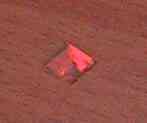
Now I just need to add in the infra red filter, which I believe can be put together from a floppy disk magnetic strip...or exposed negatives with no picture. I did have these but they aren't quite the right type, so I am going to use the floppy disk magnetic strip again.
With that cut and placed into the camera, I should finally have an infra red camera. Will update soon, if I manage to get the infra red LED's working.
Friday, 30 January 2009
Waiting on the hardware...
After buying slightly the wrong kit, not the wrong parts but the wrong specification, I'm now waiting on an Infra red 8 megapixel web camera, to see the infra red distortions and interface with the software. A piece of acrylic 450mm by 500mm and the infra red 850nm LED's which are being shipped from america.
Fingers crossed there are no new problems until I try and get the software working again! That's not to say I havn't compiled Openframeworks in Code::Blocks, but I need to see if the software interfaces with the web cam properly. So that is the next test.
I'll keep you updated on the parts and I should have some picture progress to follow quite soon.
Fingers crossed there are no new problems until I try and get the software working again! That's not to say I havn't compiled Openframeworks in Code::Blocks, but I need to see if the software interfaces with the web cam properly. So that is the next test.
I'll keep you updated on the parts and I should have some picture progress to follow quite soon.
The Intuitive Interface
So what is this all about then? Well this blog charts the progress of my efforts to find a solution to the problem of interface design in computer game studio development pipelines. What are those? Well computer games or video games, are made up of a series of creational steps, or building blocks. These make up the pipeline. To broadly summarize them, you could say they're, pre-alpha or concept design, alpha development, beta development and release. But this summary doesn't really point out all the key areas.
What I am trying to do is build a device modeled on Multi Touch Screens like this one (Multi Touch), and then attempt to prove the hypothesis that an organic (Off the cuff, no rigid structure or thought process) intuitive interface such as this one, would allow developers enhanced modes of function, when designing games. Like doodling in real time and playing back quick animated scenes, adding video, pictures and sound from a hard drive or external storage location to prototype ideas. There are in short, many many things you can do with the software. I have to thank the people at Openframeworks because they're the people who developed the software under the LGPL 3.0 license, which means it's free to use, but there are catches further down the line, though I think these only apply to rigid commercial bodies. Everything runs on a very simple C++ shell called Code::Blocks, though it will run on others as well and so the solution is cost effective (Even if the hardware might not be!!)
So I will be updating this blog hopefully every day with updates about what's going on, until then, happy reading!
Dominic Took
Subscribe to:
Posts (Atom)