
Program tests were good today, albeit it limited. I now see why the surface (Material) is so important. The surface material has to allow a finger to slide over it with ease (Acrylic provides too much friction) and currently I am interfacing directly onto the acrylic. I even tried gloves to get that down, but they didn't displace the IR field.
So I need to come up with a few project flows and then try working on an application to bring together a few features. As always the community is fantastic. I'm now using openframeworks with tuio which is part of TBeta's blob tracking element. This is what allowed me to interface with the software running on the PC.
Testing all this will be difficult in the time I have available, but I hope to get a program up and running soon for show.
Showing posts with label infra red camera. Show all posts
Showing posts with label infra red camera. Show all posts
Tuesday, 10 February 2009

Thursday, 5 February 2009
Blob tests...
The set up works, but its configuration is a little unstable. But there are a few fixable reasons for this. I tested the blobs first of all (Blobs are impressions made onto the acrylic surface (The touch surface) which disrupt the infra red field.) So the first test was successful, I managed to create blobs just by using my fingers on the surface, however I had to use the opposite to the side I expected, to achieve this...which still has me a little confused.

That was last night, today I've been trying to re-configure the hardware. I set everything up on a more stable surface, though I have nothing built to hold the screen in place...which is going to become annoying. I've found out today that the LED strip at the edge is interfering with the software picking up the blobs effectively, without that I can't really go forward.
So now I am going to try taping off the LED bleed with electrical tape.
That was last night, today I've been trying to re-configure the hardware. I set everything up on a more stable surface, though I have nothing built to hold the screen in place...which is going to become annoying. I've found out today that the LED strip at the edge is interfering with the software picking up the blobs effectively, without that I can't really go forward.
So now I am going to try taping off the LED bleed with electrical tape.
Tuesday, 3 February 2009
LED Test = Green Light, Surface to
Well I've blacked out the room I'm making this in (So that the camera only picks up the infra red light from the touch screen and nothing else). I've started to make the surface, which I'm glad to say is coming along better than expected.
So now I'm about to put another layer of fabric onto the acrylic board which makes up the touch interface. It's pretty heavy at 10mm's and only about 25 inches wide (If you think about it like a monitor screen). The reason I mention it is because being so heavy isn't good for portability, but these touch screens should be mounted inside something, this is merely for test purposes.
Once I've added the first and second layer of fabric I'll be ready to add the LED's, which I'm glad to say, work!

So now I'm about to put another layer of fabric onto the acrylic board which makes up the touch interface. It's pretty heavy at 10mm's and only about 25 inches wide (If you think about it like a monitor screen). The reason I mention it is because being so heavy isn't good for portability, but these touch screens should be mounted inside something, this is merely for test purposes.
Once I've added the first and second layer of fabric I'll be ready to add the LED's, which I'm glad to say, work!

It Worked!
I really didn't expect that the infra red fix would work, but I kept chiselling with the stanley knife...ye of little faith I know!
Photos:
My phone (Both my monitor and my phone were turned on)


More updates to come...
Photos:
My phone (Both my monitor and my phone were turned on)
More updates to come...
Infra red camera!!
I've finally got all the parts, LED strip, camera, acrylic, fabric for compliant surface and other little bits. I found out yesterday that the camera drivers were very poor! I'm guessing Japanese or Chinese make and the infra red feature was actually a graphical feature, not embedded into the camera as I had first expected.
But by a stroke of luck I have just prised out the infra red lense see image. In the end I had to crack the lense, which was very brittle, to get it out. So third time lucky in the end!! (See pic)

Now I just need to add in the infra red filter, which I believe can be put together from a floppy disk magnetic strip...or exposed negatives with no picture. I did have these but they aren't quite the right type, so I am going to use the floppy disk magnetic strip again.
With that cut and placed into the camera, I should finally have an infra red camera. Will update soon, if I manage to get the infra red LED's working.
But by a stroke of luck I have just prised out the infra red lense see image. In the end I had to crack the lense, which was very brittle, to get it out. So third time lucky in the end!! (See pic)
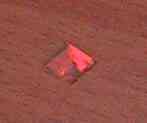
Now I just need to add in the infra red filter, which I believe can be put together from a floppy disk magnetic strip...or exposed negatives with no picture. I did have these but they aren't quite the right type, so I am going to use the floppy disk magnetic strip again.
With that cut and placed into the camera, I should finally have an infra red camera. Will update soon, if I manage to get the infra red LED's working.
Subscribe to:
Posts (Atom)